Fault code 01 shown on the display with the fault icon on: Bus voltage over.
CauseBus voltage over.
Recommended fixRestart the unit. If the fault happens again, contact your installer or the repair centre.
Source:page 52
Fault code 01 shown on the display with the fault icon on: Bus voltage over.
CauseBus voltage over.
Recommended fixRestart the unit. If the fault happens again, contact your installer or the repair centre.
Source:page 52
Fault code 02 shown on the display with the fault icon on: BUS voltage under.
CauseBUS voltage under.
Recommended fixRestart the unit. If the fault happens again, contact your installer or the repair centre.
Source:page 52
Fault code 03 shown on the display with the fault icon on: BUS soft start time out.
CauseBUS soft start time out.
Recommended fixRestart the unit. If the fault happens again, contact your installer or the repair centre.
Source:page 52
Fault code 04 shown on the display with the fault icon on: INV soft start time out.
CauseINV soft start time out.
Recommended fixRestart the unit. If the fault happens again, contact your installer or the repair centre.
Source:page 52
Fault code 05 shown on the display with the fault icon on: INV over current.
CauseINV over current.
Recommended fixRestart the unit. If the fault happens again, contact your installer or the repair centre.
Source:page 52
Fault code 06 shown on the display with the fault icon on: Over temperature.
CauseOver temperature.
Recommended fixRestart the unit. If the fault happens again, contact your installer or the repair centre.
Source:page 52
Fault code 07 shown on the display with the fault icon on: Relay fault.
CauseRelay fault.
Recommended fixRestart the unit. If the fault happens again, contact your installer or the repair centre.
Source:page 52
Fault code 08 shown on the display with the fault icon on: CT sensor fault.
CauseCT sensor fault.
Recommended fixRestart the unit. If the fault happens again, contact your installer or the repair centre.
Source:page 52
Fault code 09 shown on the display with the fault icon on: power Solar input abnormal.
Causepower Solar input abnormal.
Recommended fixRestart the unit. If the fault happens again, contact your installer or the repair centre.
Source:page 52
Fault code 11 shown on the display with the fault icon on: Solar over current.
CauseSolar over current.
Recommended fixRestart the unit. If the fault happens again, contact your installer or the repair centre.
Source:page 52
Fault code 12 shown on the display with the fault icon on: GFCI fault.
CauseGFCI fault.
Recommended fixRestart the unit. If the fault happens again, contact your installer or the repair centre.
Source:page 52
Fault code 13 shown on the display with the fault icon on: PV ISO fault.
CausePV ISO fault.
Recommended fixRestart the unit. If the fault happens again, contact your installer or the repair centre.
Source:page 52
Fault code 14 shown on the display with the fault icon on: INV DC current over.
CauseINV DC current over.
Recommended fixRestart the unit. If the fault happens again, contact your installer or the repair centre.
Source:page 52
Fault code 15 shown on the display with the fault icon on: Arc fault detected.
CauseArc fault detected.
Recommended fixRestart the unit. If the fault happens again, contact your installer or the repair centre.
Source:page 52
Fault code 16 shown on the display with the fault icon on: GFCI sensor fault.
CauseGFCI sensor fault.
Recommended fixRestart the unit. If the fault happens again, contact your installer or the repair centre.
Source:page 52
Fault code 17 shown on the display with the fault icon on: DSP and MCU Com. Loss.
CauseDSP and MCU Com. Loss.
Recommended fixRestart the unit. If the fault happens again, contact your installer or the repair centre.
Source:page 52
Warning code 01 flashing on the display: Line voltage high loss.
CauseGrid voltage is too high.
Recommended fixThe unit keeps operating. Clear the condition shown and the warning resets automatically; if it persists, contact your installer or the repair centre.
Source:page 51
Warning code 02 flashing on the display: Line voltage low loss.
CauseGrid voltage is too low.
Recommended fixThe unit keeps operating. Clear the condition shown and the warning resets automatically; if it persists, contact your installer or the repair centre.
Source:page 51
Warning code 03 flashing on the display: Line frequency high loss.
CauseGrid frequency is too high.
Recommended fixThe unit keeps operating. Clear the condition shown and the warning resets automatically; if it persists, contact your installer or the repair centre.
Source:page 51
Warning code 04 flashing on the display: Line frequency low loss.
CauseGrid frequency is too low.
Recommended fixThe unit keeps operating. Clear the condition shown and the warning resets automatically; if it persists, contact your installer or the repair centre.
Source:page 51
Warning code 05 flashing on the display: Line voltage loss for long time.
CauseGrid voltage is higher than 253V.
Recommended fixThe unit keeps operating. Clear the condition shown and the warning resets automatically; if it persists, contact your installer or the repair centre.
Source:page 51
Warning code 06 flashing on the display: Ground Loss.
CauseGround wire is not detected.
Recommended fixThe unit keeps operating. Clear the condition shown and the warning resets automatically; if it persists, contact your installer or the repair centre.
Source:page 51
Warning code 07 flashing on the display: Island detect.
CauseIsland operation is detected.
Recommended fixThe unit keeps operating. Clear the condition shown and the warning resets automatically; if it persists, contact your installer or the repair centre.
Source:page 51
Warning code 08 flashing on the display: Line waveform loss.
CauseThe waveform of grid is not suitable for inverter.
Recommended fixThe unit keeps operating. Clear the condition shown and the warning resets automatically; if it persists, contact your installer or the repair centre.
Source:page 51
Warning code 09 flashing on the display: Line phase loss.
CauseThe phase of grid is not in right sequence.
Recommended fixThe unit keeps operating. Clear the condition shown and the warning resets automatically; if it persists, contact your installer or the repair centre.
Source:page 51
Warning code 10 flashing on the display: EPO detected.
CauseEPO is open.
Recommended fixThe unit keeps operating. Clear the condition shown and the warning resets automatically; if it persists, contact your installer or the repair centre.
Source:page 51
Warning code 11 flashing on the display: Overload.
CauseLoad exceeds rating value.
Recommended fixThe unit keeps operating. Clear the condition shown and the warning resets automatically; if it persists, contact your installer or the repair centre.
Source:page 51
Warning code 12 flashing on the display: Over temperature.
CauseThe temperature is too high inside.
Recommended fixThe unit keeps operating. Clear the condition shown and the warning resets automatically; if it persists, contact your installer or the repair centre.
Source:page 51
Warning code 13 flashing on the display: Batter voltage low.
CauseBattery discharges to low alarm point.
Recommended fixThe unit keeps operating. Clear the condition shown and the warning resets automatically; if it persists, contact your installer or the repair centre.
Source:page 51
Warning code 14 flashing on the display: Battery under-voltage when grid is loss.
CauseBattery discharges to shutdown point.
Recommended fixThe unit keeps operating. Clear the condition shown and the warning resets automatically; if it persists, contact your installer or the repair centre.
Source:page 51
Warning code 15 flashing on the display: Battery open.
CauseBattery is unconnected or too low.
Recommended fixThe unit keeps operating. Clear the condition shown and the warning resets automatically; if it persists, contact your installer or the repair centre.
Source:page 51
Warning code 16 flashing on the display: Battery under-voltage when grid is OK.
CauseBattery stops discharging when the grid is OK.
Recommended fixThe unit keeps operating. Clear the condition shown and the warning resets automatically; if it persists, contact your installer or the repair centre.
Source:page 51
Warning code 17 flashing on the display: Solar over voltage.
CausePV voltage is too high.
Recommended fixThe unit keeps operating. Clear the condition shown and the warning resets automatically; if it persists, contact your installer or the repair centre.
Source:page 51
Warning code 18 flashing on the display: RSD is close.
CauseRSD is close.
Recommended fixThe unit keeps operating. Clear the condition shown and the warning resets automatically; if it persists, contact your installer or the repair centre.
Source:page 51
Warning code 32 flashing on the display: Communication lost between DSP and communication board.
CauseCommunication lost between DSP and communication board.
Recommended fixThe unit keeps operating. Clear the condition shown and the warning resets automatically; if it persists, contact your installer or the repair centre.
Source:page 51

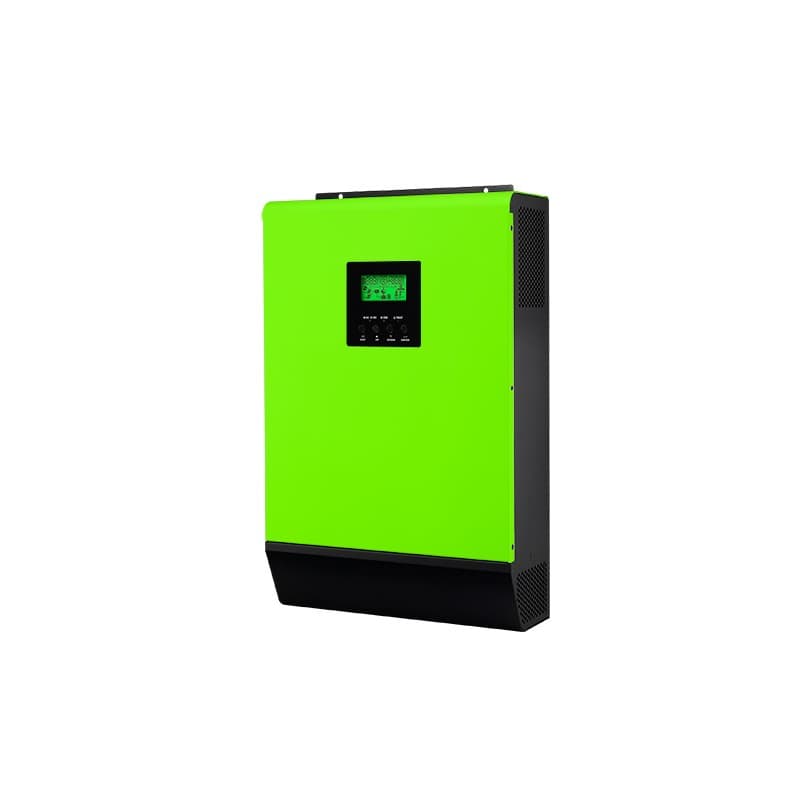
Price incl. VATAED 2,339
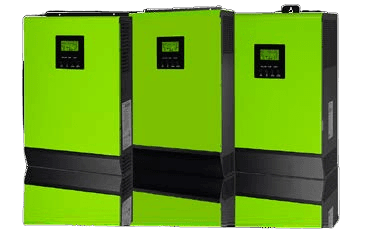
Price incl. VATAED 2,339
Send us the code on your screen and a Voltronic technician will reply with the exact steps for your unit. If the unit needs replacing, order it online.
This is the complete fault table for the Voltronic InfiniSolar WP LV 12KW Premium Inverter — all 35 codes from the official manual on one page. On Voltronic units, a fault code means the unit has cut its output and the red LED stays solid; a warning flashes the red LED while the unit keeps running.
Last checked against the official manuals on 27 July 2026.
Compiled from official Voltronic user manuals. Always consult your device manual and a qualified technician before performing repairs.